
Residents
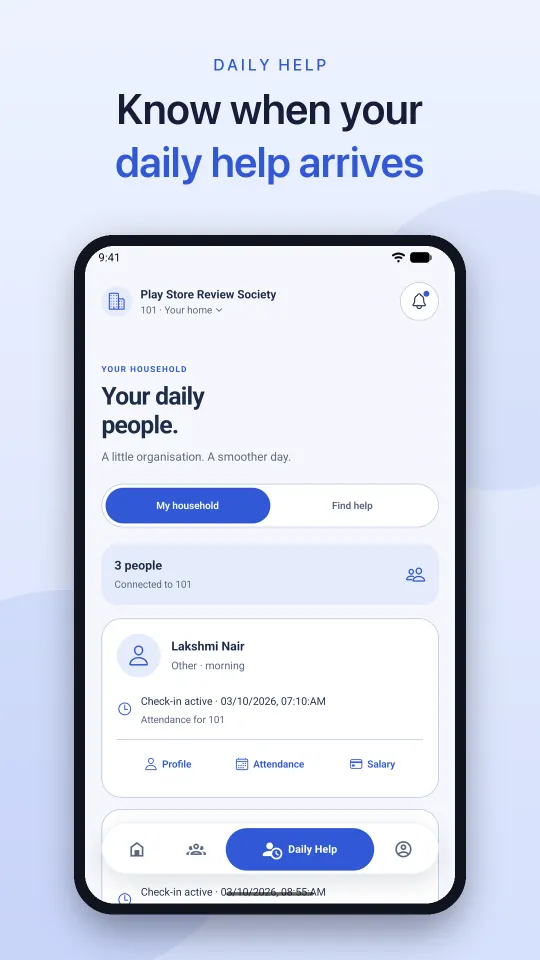
Approve visitors from their phone, share gate passes, keep maintenance bills and receipts in one place, track daily help, book facilities, raise complaints, and stay close to the community.
Pronasoft One is society management software for apartments, housing societies, and gated communities in India. Residents, gate teams, and the society office share one connected platform for visitors, bills, notices, facilities, complaints, and reports.
Residential communities run on many small, important workflows: a visitor at the gate, a maintenance payment, a complaint waiting for resolution, a facility booking, a notice that needs attention, or a staff shift that needs tracking. Pronasoft One gives each workflow a clear place while keeping the whole society connected.
For residents: daily community tasks are easier to find, complete, and follow up on from mobile.
For security: entry activity and visitor decisions are structured around fast, accountable gate operations.
For administrators: the web portal brings people, money, amenities, requests, communication, and reports into a single control surface.
Pronasoft One is designed around the different jobs people do inside a residential community—not around a single dashboard or a single user type.
Approve visitors from their phone, share gate passes, keep maintenance bills and receipts in one place, track daily help, book facilities, raise complaints, and stay close to the community.
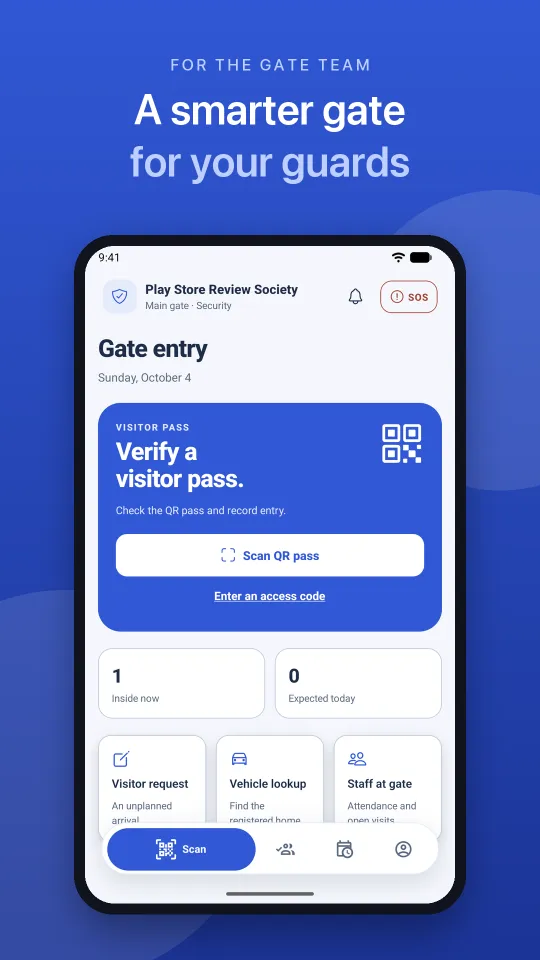
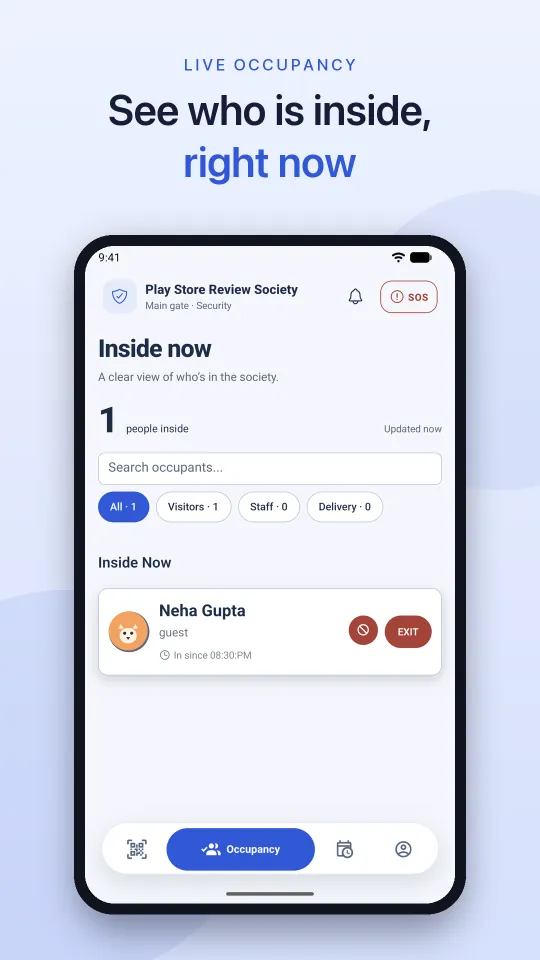
Scan QR gate passes, log unplanned visitors, look up vehicles, see who is inside right now, respond to SOS alerts, and hand over the shift with notes.
Manage residents, towers, floors, units, staff, facilities, payments, communication, requests, and operational reporting from the admin portal.
Keep multiple communities organized through a centralized platform with project-aware administration and clear operational boundaries.
From the first resident record to the final audit trail, Pronasoft One covers the operational details that keep a community safe, informed, financially organized, and responsive.
Create the working structure of a community and keep people, homes, and conversations connected.
Give residents and security a faster, more accountable way to manage people entering and leaving the premises.
Make society finances easier to follow for administrators and more transparent for residents.
Coordinate the shared spaces and the people who keep homes and the community running every day.
Replace scattered follow-ups with visible requests, messages, and community-wide communication.
Turn day-to-day activity into a clearer operating picture for committee members and managers.
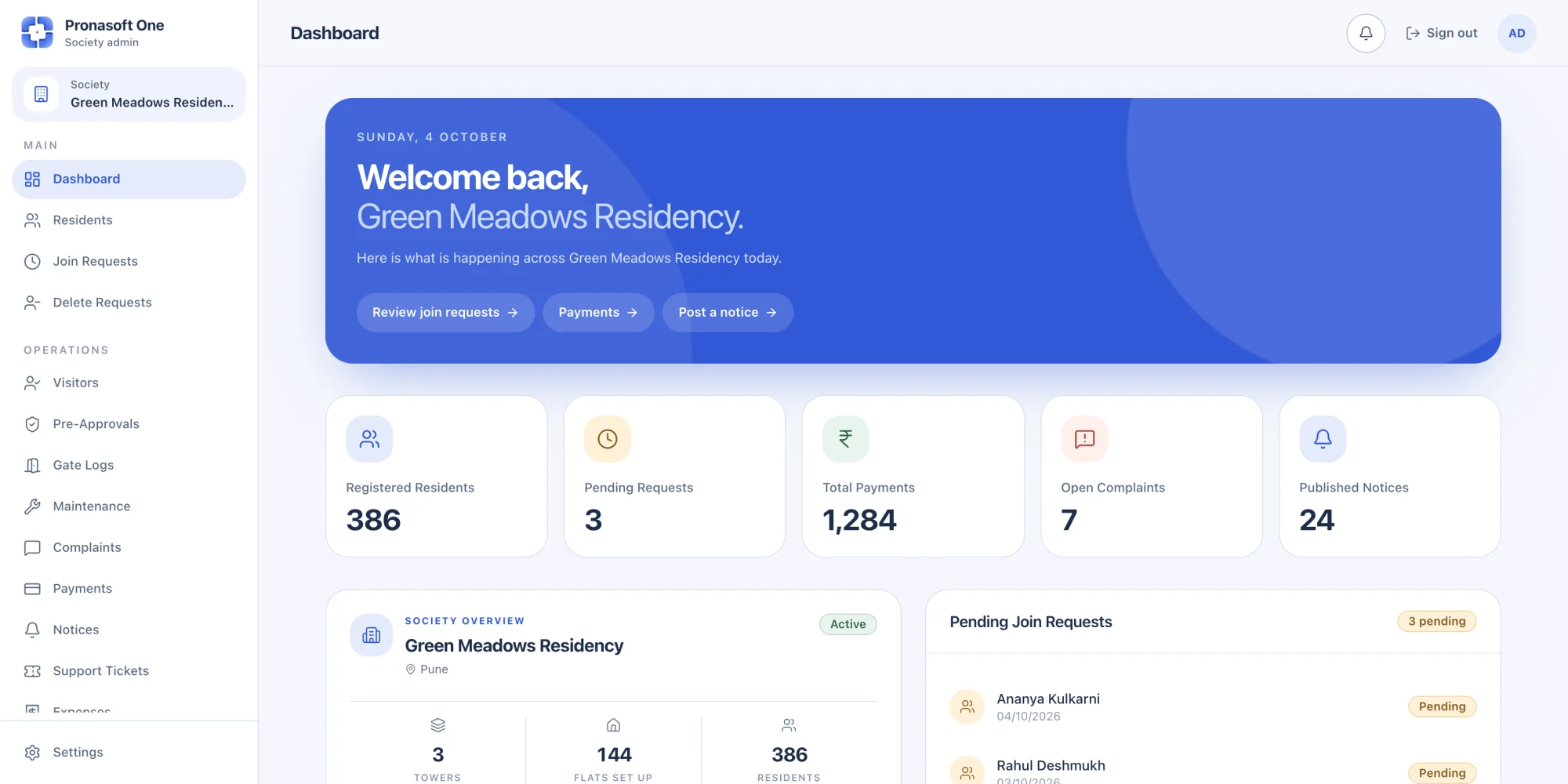
The live web admin portal is built to keep operational work visible and organized. Select the society, see its current picture, act on the work that needs attention, and retain a reliable record of important changes.
Start with a dashboard that surfaces residents, join requests, payments, complaints, notices, maintenance, occupancy, and society structure readiness—then move directly into the relevant workflow.
Manage the details behind the community experience: approve bookings, publish notices, resolve complaints, track support, manage staff and facilities, maintain parking, and review financial activity.
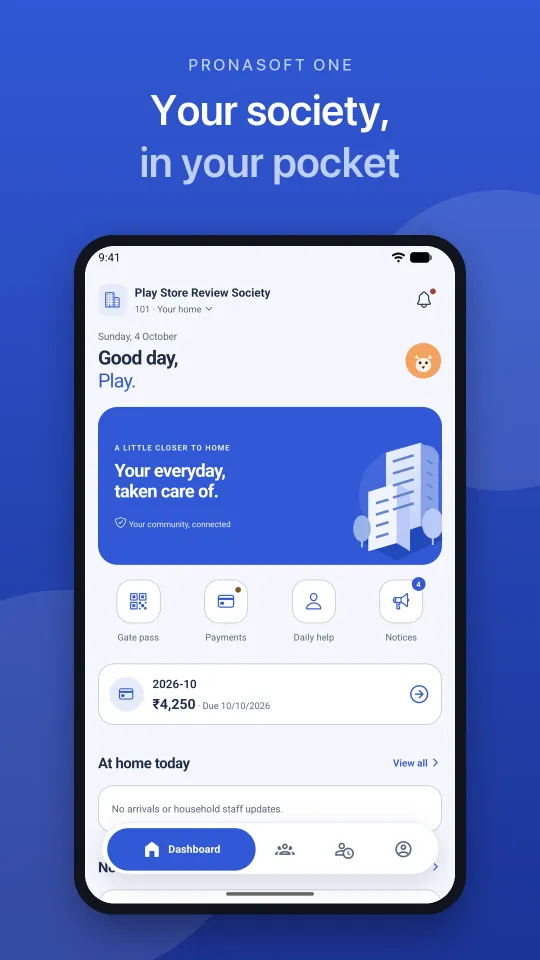
The Pronasoft One mobile experience keeps the most frequent resident and security actions close at hand, while the admin portal remains the deeper management surface.
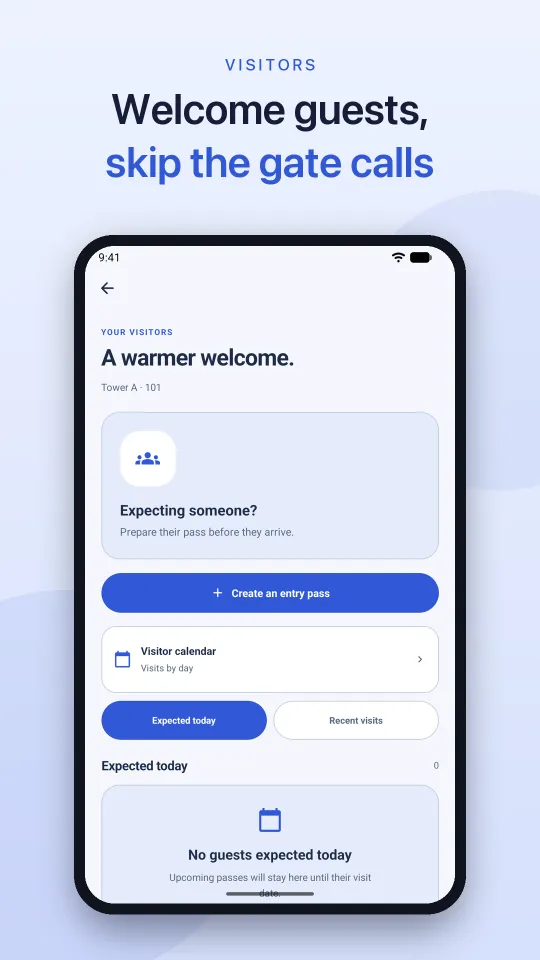
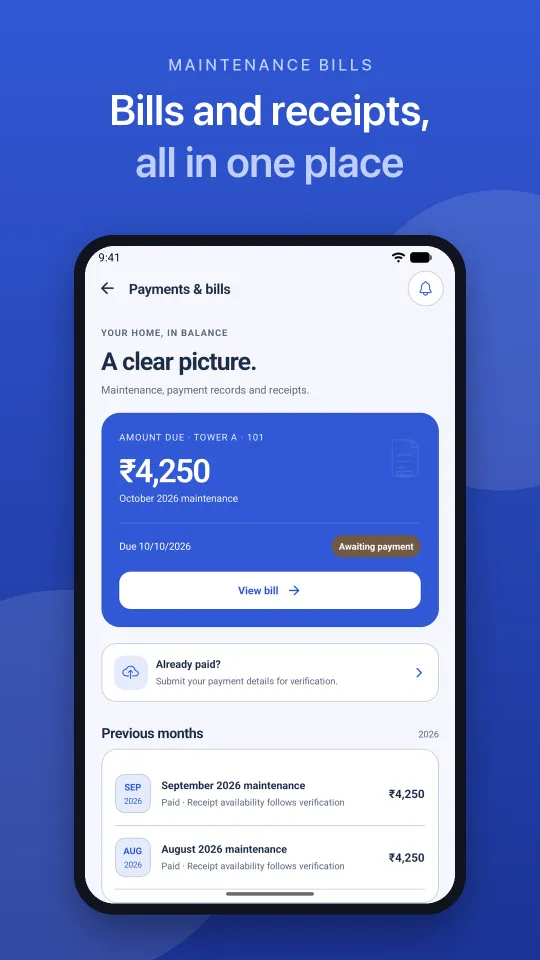
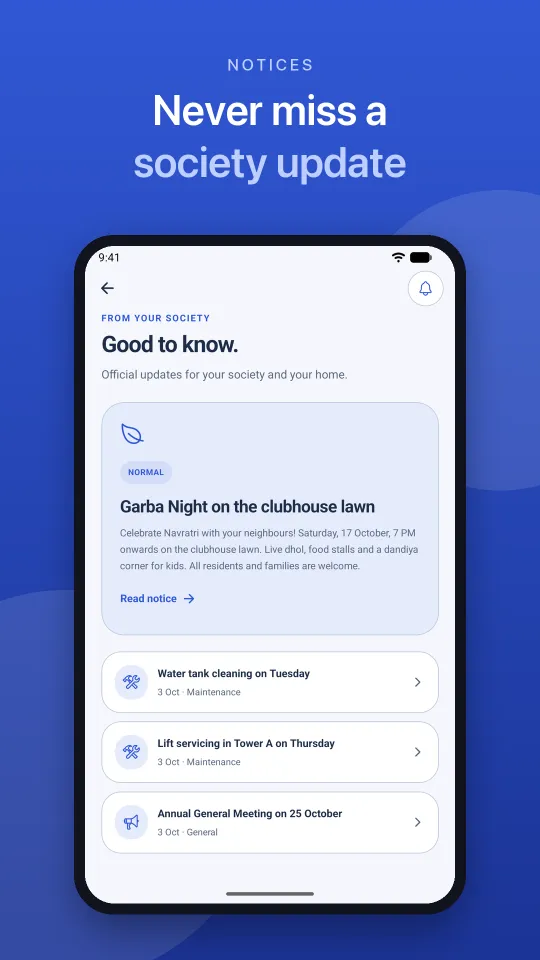
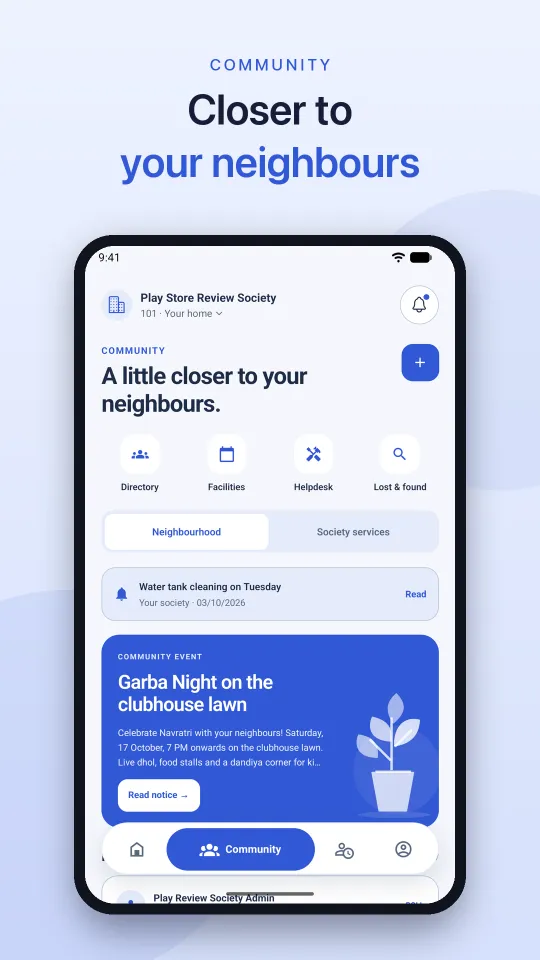
Visitors, gate passes, bills, daily help, notices, community, complaints, bookings, and profile settings are organized for mobile use, with a separate view for the gate team.
Gate passes, payments, daily help, and notices sit one tap from the home screen, with today's arrivals right below.
Security staff get a dedicated Scan tab to verify QR passes, log unplanned visitors, look up vehicles, and track staff at the gate.
Society notices, community posts, local events, the resident directory, and push notifications for things that matter to your home.
Residents sign in with a one-time code sent to their email and stay signed in, with an optional 4-digit MPIN or fingerprint lock. Gate staff use a password set by the society office.

Download Pronasoft One: Society App from the App Store or Google Play. Features depend on what your society has turned on, so ask your society office to get started.


Configure the project, towers, floors, units, facilities, staff, and operating context.
Register residents, process join requests, and give each role the right place to work.
Coordinate gates, payments, maintenance, complaints, bookings, notices, and support.
Use reports, activity, occupancy, financial information, and audit logs to make better decisions.
A society platform is not only about collecting features. It needs predictable workflows, clear ownership, useful records, and an experience that works for the resident at home and the security guard at the gate.
Complete frequent tasks from mobile and keep a simple record of requests, payments, visitors, bookings, and notices.
Move quickly at the gate with expected visitor context, entry logs, occupancy signals, watchlists, and emergency contacts.
See how the community is performing through payments, complaints, occupancy, facility, and maintenance reporting.
Keep multiple operational areas organized through a single web control surface and clear status tracking.
Handle complaints and tickets with visible ownership, conversation history, and more consistent follow-up.
Pronasoft One is society management software for apartments, housing societies, and gated communities. It combines a web admin portal for the society office with a society app for residents and the gate team.
Society management software helps a housing society or apartment complex run its daily operations in one place: residents and flats, visitor management at the gate, maintenance bills and dues, notices, complaints, facility bookings, staff, and reports. Pronasoft One covers each of these for the society office, residents, and security.
Yes. Residents approve or decline visitors from their phone and share QR gate passes ahead of time, while the gate team scans passes, logs unplanned visitors, looks up vehicles, and sees who is inside the society right now.
It is built for housing societies, apartment complexes, gated communities, RWAs and resident welfare teams, property and facility managers, gate and security teams, and operators managing more than one community.
Administrators can manage residents and units, visitor operations, payments, maintenance, complaints, notices, support tickets, expenses, facilities, bookings, parking, staff, emergency contacts, reports, and audit logs.
Yes. Pronasoft One: Society App is available on the App Store for iPhone and on Google Play for Android. Residents use it for visitors, gate passes, bills, daily help, notices, community, complaints, and facility bookings, and the gate team gets its own scan and inside-now view in the same app.
No. Pronasoft One does not process online payments inside the app. Residents see their maintenance bills and dues, record payment details, and keep receipts, and the society office verifies each payment and updates the record.
Residents sign in with a one-time code sent to their email and can add an optional 4-digit MPIN or fingerprint lock. Gate team accounts sign in with a password set by the society office from the admin portal.
Use the live Pronasoft One admin portal at p-one.pronasoft.com. Contact info@pronasoft.com if your society needs onboarding, a walkthrough, or support.
Email info@pronasoft.com for product support, onboarding questions, walkthrough requests, or partnership enquiries.
Open the live admin portal, or speak with Pronasoft about onboarding your society, arranging a walkthrough, or getting support for your community workflows.